WorkBuddy × Penguin Teacher Assistant: How Teaching Capabilities Were Connected
Following classroom outputs and task logs to see how teaching methods, tools, and specialized services actually enter WorkBuddy.

I recently saw the announcement that Penguin Teacher Assistant was joining WorkBuddy.
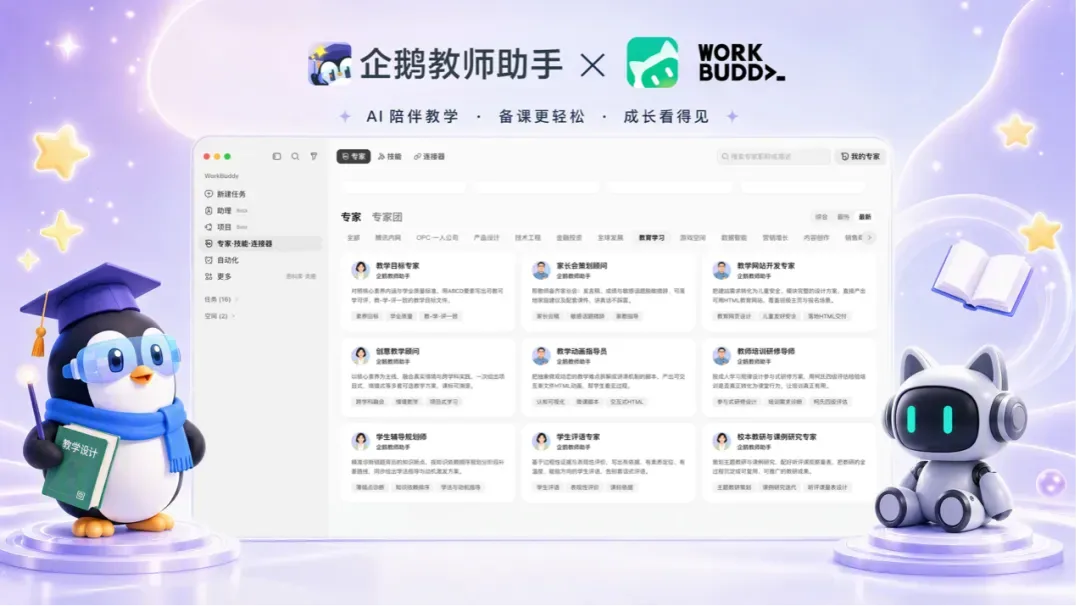
I use AI tools extensively and work on technical support for teaching. So I wanted to know what this combination could help teachers make, and how its teaching capabilities worked together behind the scenes.
I tried physics and chemistry teaching requests in both the Penguin Teacher Assistant website and WorkBuddy. I looked at whether the outputs could be used in class, then followed the AI task logs to see how the experts, Skills, and tools actually interacted.
What teachers could make
First, the capabilities described in the announcement:
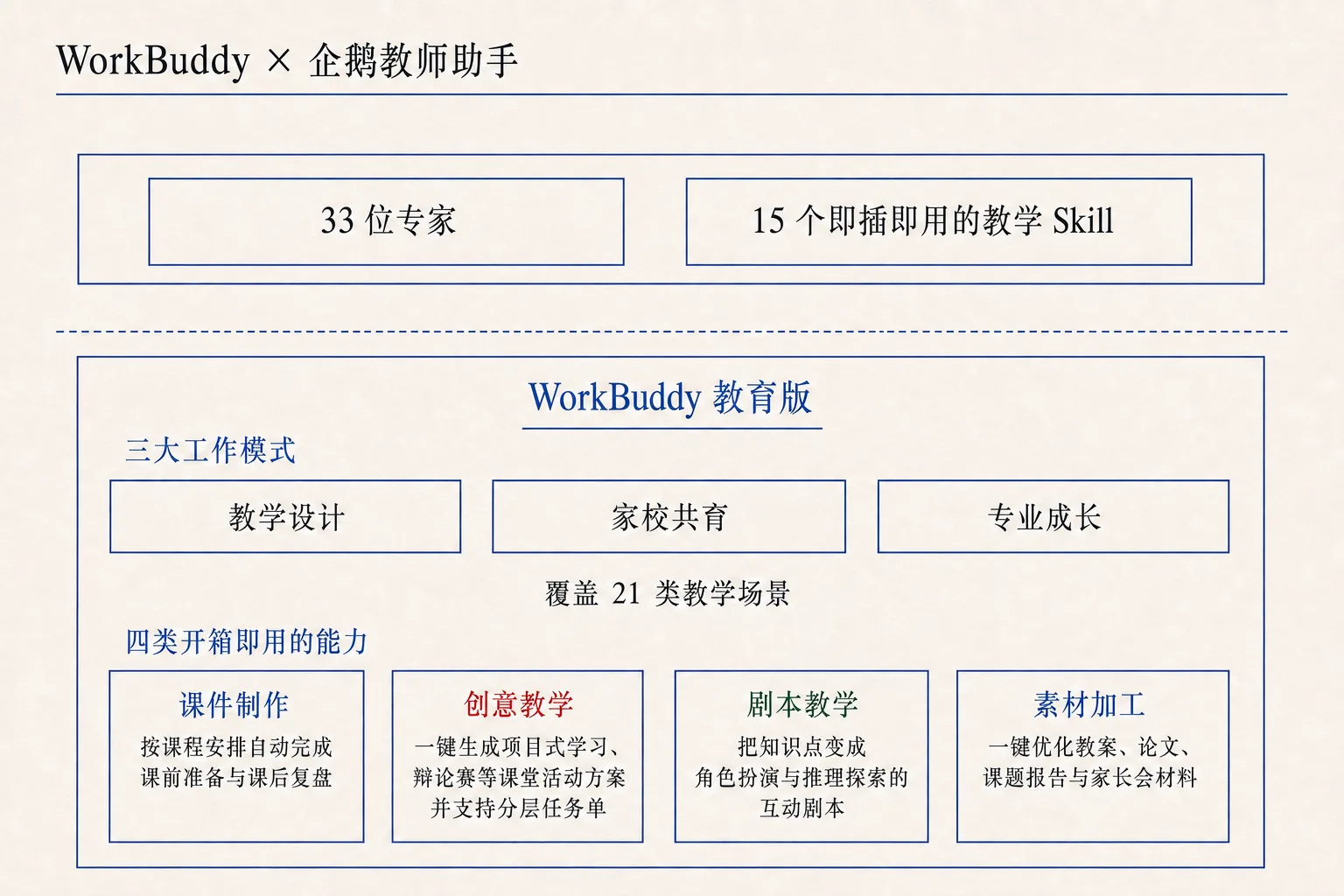
Penguin Teacher Assistant can generate teaching outlines, draft slides, activities, interactive simulations, and initial reports. Within WorkBuddy, the combined offering also includes 33 education experts, 15 teaching Skills, and four groups of capabilities: courseware creation, creative teaching, scripted teaching, and material processing.
I gave both products two classroom requests.
The physics lesson was about electromagnetic induction: let students change a bar magnet’s direction and speed, observe the changing induced current, and understand the relationship between magnetic flux and current.
The chemistry lesson was about the catalytic oxidation of ethanol: show the apparatus, procedure, observations, equation, and safety notes for producing acetaldehyde, then ask students to decide from the observations whether the reaction had occurred.
Both requests called for a single-file HTML deliverable usable directly in class. The result was several interactive demonstrations that could be opened in a browser.
In the physics demonstration, a teacher could change the magnetic field, coil, or motion and watch an abstract relationship change on screen in real time. The more complete versions updated numbers and conceptual explanations alongside the animation. Students did not have to imagine the whole process first; teachers gained something they could operate while asking questions and correcting intuitions.
The chemistry demonstration went beyond a few pictures of apparatus. Better versions connected heating, inserting copper wire, observing a color change, and judging the reaction. They also included wrong choices and explanations. The result approached a small classroom activity rather than a reformatted textbook paragraph.
The materials were not yet polished. Some pages were too dense for projection and would need selective use. Some downloaded demonstrations still loaded resources from the network. Even outputs from the same entry point varied: some worked smoothly, while others had broken interactions. These points need work, but several demonstrations were already useful in a classroom.
The products do lower the barrier to making nonstandard teaching resources. In the past, a teacher wanting an interactive demonstration for a particular concept would usually have to code it, ask a technician, or give up on the exact idea and search a library for something close enough. Now they can describe the teaching intention first, then spend time selecting, revising, and arranging the result for class.
Compared with other AI products I have used, I would rate this combination as good—above the middle of the field. It can turn a teacher’s specific idea into an operable demonstration, though reliability in actual use still has room to improve.
What the task logs revealed about the integration

How Penguin Teacher Assistant entered WorkBuddy
After testing the outputs, I was curious as a technical practitioner about how the tasks were completed.
Penguin Teacher Assistant already had its own capabilities for making slides, animations, and teaching materials. Did WorkBuddy call those services directly, or re-create the work another way?
The task logs showed two different generation paths. The Penguin Teacher Assistant website called its specialized generation pipeline. Its expert inside WorkBuddy read local teaching methodology and used WorkBuddy’s general-purpose tools to generate files. In the tasks I tested, there was no step that called the Penguin Teacher Assistant platform to create a teaching artifact.
Separating the components, the observed relationship looked more like this:
Penguin Teacher Assistant web app
  └─ Its own specialized pipeline → generate, check, and deliver H5 teaching artifacts

Penguin Teacher Assistant expert in WorkBuddy
  └─ Local methodology + WorkBuddy's general tools → generate a file independently

Teaching Skills
  └─ Reusable workflows named for specific tasks
The website had its own generation process, including web-page creation, file editing, code checks, and H5 quality checks. The platform produced artifacts in the background and made them available on the task page.
The WorkBuddy expert first read local teaching methodology, then used WorkBuddy’s general tools to make HTML. For these tasks, what entered WorkBuddy was the method guiding generation. WorkBuddy also generated and checked the files.
Experts and Skills carried the method. An expert supplied a particular role and framework for judgment; a Skill supplied methods and steps for a specific task. WorkBuddy’s 33 education experts and the teaching Skills named for tasks such as class activities and learning analysis played these different parts.
How teaching Skills and MCP worked together—or did not
The intuitive product design would have the expert team and its Skills, the MCP tools exposed by a connector, and the platform’s own specialized capabilities working together. An expert would choose a teaching method, call the platform’s services through the connector, and complete a task with more value than either product could deliver alone.
Penguin Teacher Assistant, for instance, already had services for creating courseware and teaching demonstrations. If WorkBuddy followed a teaching method for such a request, matching tools could create a task, check its progress, and retrieve the artifact, bringing those services into the work.
But in my tests and the visible connector listing, the Penguin Teacher Assistant MCP connector exposed only one tool, get_user_memory. It read user memory; there were no tools to create teaching tasks, query progress, or retrieve artifacts. Reading a teacher’s preferences could help adapt the content, but it could not perform the proposed service-calling flow by itself.
I tested the memory tool. The expert in WorkBuddy called it, but it returned an empty array.
I then told the Penguin Teacher Assistant website which grade, textbook edition, and inquiry-based teaching preferences to use in future designs. The platform said it had recorded them and saved them in a Markdown file.
When that task finished, I asked WorkBuddy to read the memory again. It was still empty. A new WorkBuddy task gave the same result. All the reads took place while authorization was valid. Preferences the website said it had saved did not reach WorkBuddy through the connector.
The expected specialized task tools were absent, and the available memory tool never returned content. The experts, Skills, and connector were all live, but their collaboration in these tasks had not caught up.
From a product-development perspective, I think this hidden gap is most plausibly a coordination problem between parts of the project. WorkBuddy already has an open ecosystem with several ways to integrate experts, Skills, and connectors. Penguin Teacher Assistant needs to connect both its teaching methods and its professional services. What I observed looks like an integration still in progress.
My guess is that the expert team and Skills, the website’s specialized services, and the MCP connector may be owned by different small groups. One maintains the web service, another brings tested teaching methods into WorkBuddy, and the connector group sits between them without yet connecting both sides.
I can understand how that might happen. It does not look primarily like a limit of technical capability. A project aiming for a launch milestone—perhaps the beginning of a school term—could reach its deadline before the teams have aligned their interfaces or fully designed the collaborative flow.
There is another possible design: Penguin Teacher Assistant could be undertaking a structural migration, moving tasks once handled on its website into WorkBuddy while retaining the original platform for teacher profiles and accumulated memory. That separation could make sense. Still, with even the sole MCP tool, get_user_memory, returning no actual content in my tests, a rushed and unfinished integration remains the more immediate explanation to me.
Setting aside gaps that may result from timing, the more interesting question is which direction the product will take. Will WorkBuddy execute all teaching tasks while Penguin Teacher Assistant mainly maintains methods and user memory? Or will the website retain specialized services that WorkBuddy calls through a connector?
On the first route, everyday work and feedback happen in WorkBuddy while Penguin Teacher Assistant holds the teacher profile. If a teacher changes grade level, adjusts a preference, or corrects the assistant’s understanding during a task, how does that change travel back? Who decides what is worth remembering, and how is the existing profile updated? To me, those design questions are more consequential than the current count of experts and Skills.
Postscript
I also use AI office products from Qwen and Doubao. By comparison, one striking advantage of WorkBuddy is that users can connect their own model API. The other two did not offer that option in my experience, giving WorkBuddy more freedom in model choice.
The experience of connecting a custom MCP server to WorkBuddy was less smooth. It was technically possible, but the added MCP did not appear in the Composer’s connector list, making it less obvious how to select it during a task.
Translation: Codex prepared this English version from Biaoo’s published Chinese article. Biaoo conducted the original product tests, examined the task logs, and wrote the analysis.